BeMoFun

Teacher resource guide

Free Classroom Games for Teachers

Find free classroom games for teachers that open directly in a browser. BeMoFun includes visual timers, review games, group reward tools, and Chinese or Pinyin learning activities that work on a projector, smartboard, or shared classroom screen.

Free to open·No student login·Browser-based·Projector friendly

Tool guide

Free classroom games and tools you can open quickly

This page is a resource guide, not a full directory. Each section explains when to use the tool and why teachers choose it, so you can move from a classroom need to the right activity.

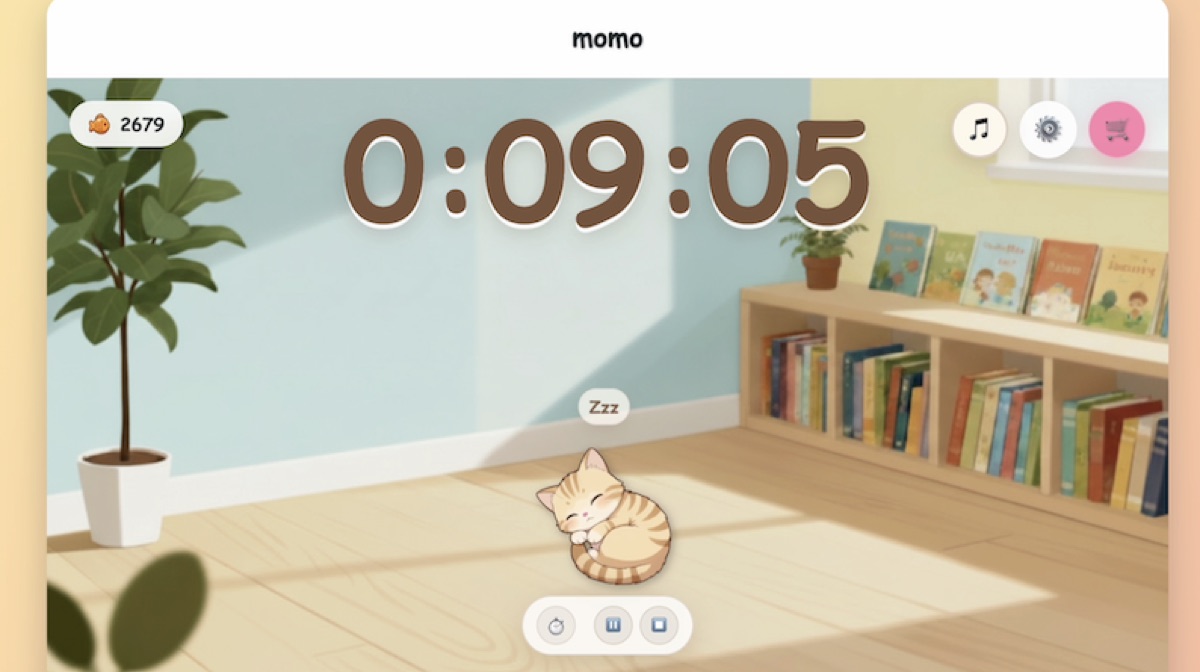
Classroom timers category preview with a calm visual timer for teacher-led routines
Visual timers

Classroom Timers

Includes Cat Classroom Timer and Bomb Countdown Timer.

When to use it

Use classroom timers for quiet work, reading, independent practice, transitions, cleanup, warm-ups, timed questions, and quick class routines.

Why teachers choose it

Includes Cat Classroom Timer for quiet work and Bomb Countdown Timer for transitions, cleanup, warm-ups, and timed tasks.
Explore Classroom Timers
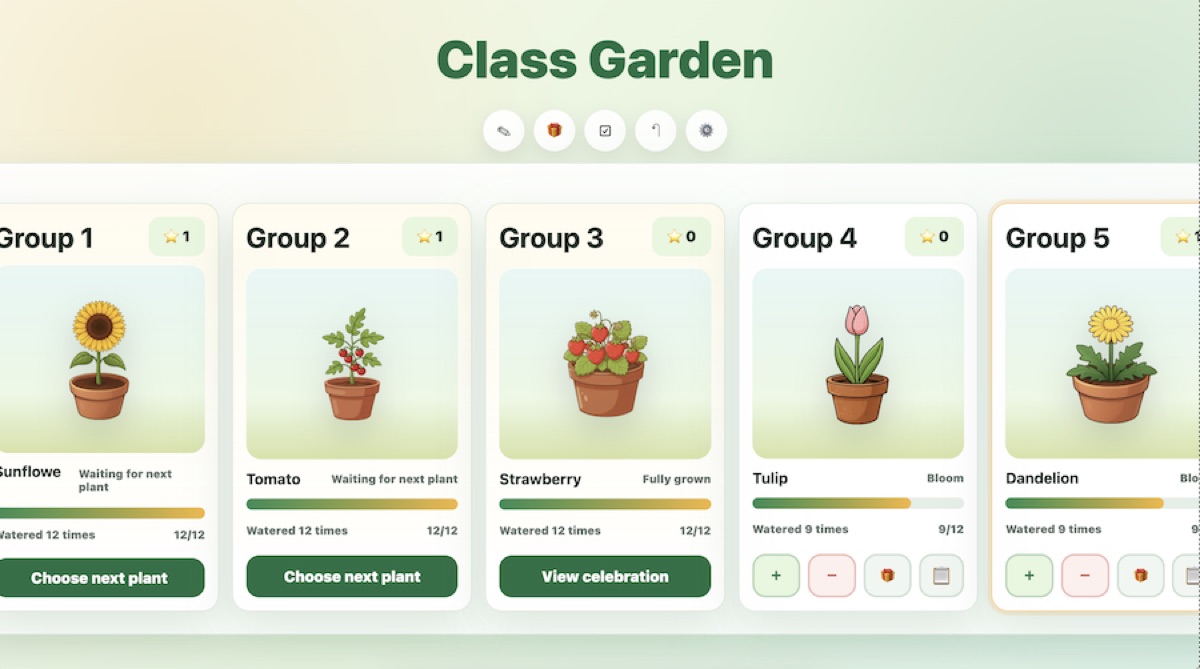
Group rewards classroom tool preview with Classroom Plant Garden for group motivation
Group rewards

Group Rewards

When to use it

Use it when you want groups to build motivation over several lessons through points, plant growth, teamwork, homework completion, readiness, or positive classroom routines.

Why teachers choose it

Classroom Plant Garden is a group rewards tool for classroom motivation. Teachers can choose from 15 collectible plants, set custom watering points, adjust point and penalty rules, and create their own classroom rewards.

Open Classroom Plant Garden
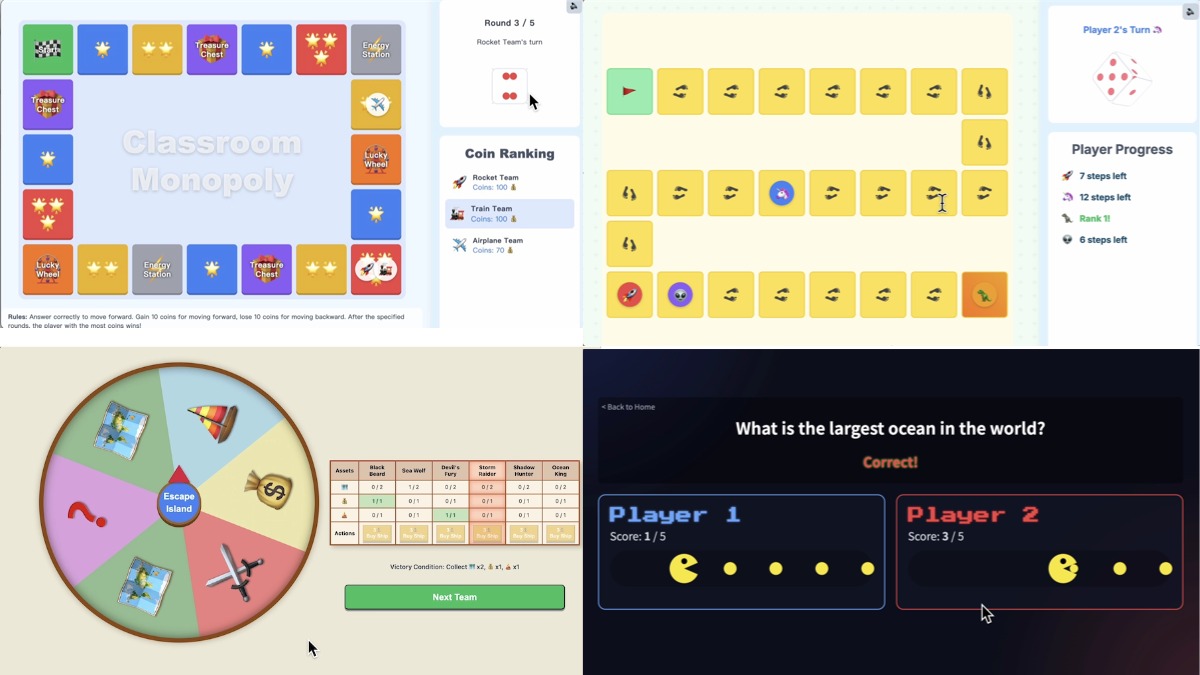
Classroom review games including Monopoly-style review, Pac-Man quiz, and team question activities
Review questions

Classroom Review Games

When to use it

Use review games when you want students to answer teacher-created questions in teams, revisit lesson content, or turn review time into a shared class challenge.

Why teachers choose it

Games such as Classroom Review Monopoly and Quiz Pac-Man help teachers reuse their own questions for unit review, vocabulary checks, subject practice, and quick class competitions.

Explore Review Games
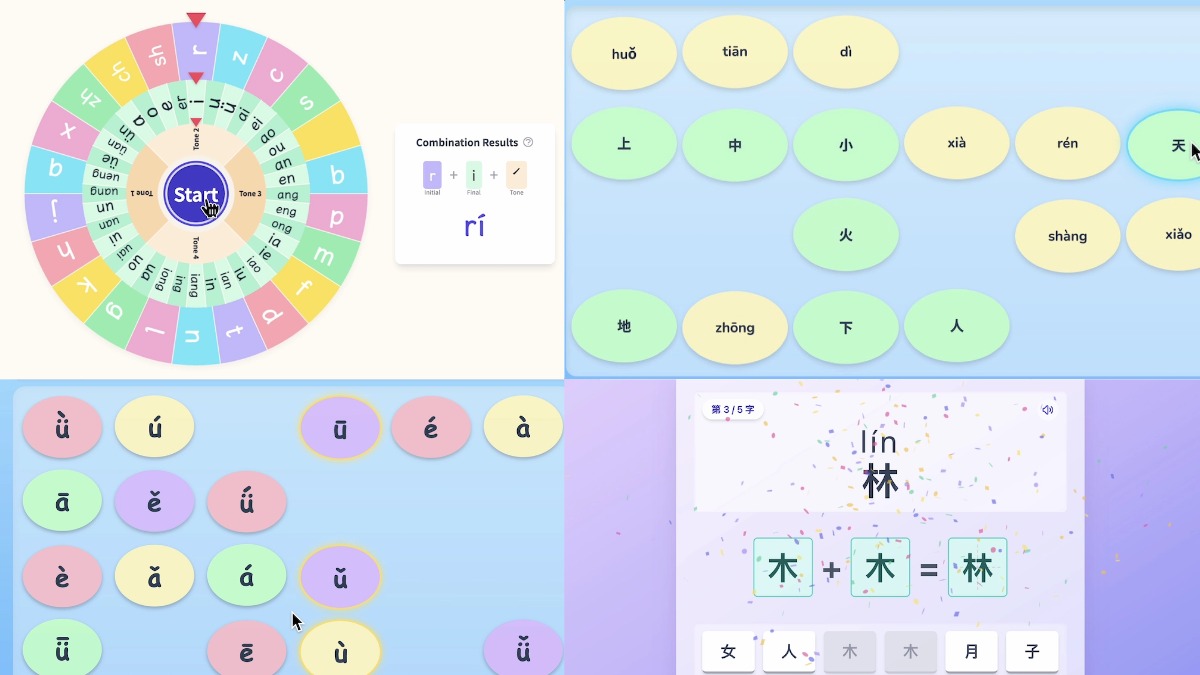
Chinese and pinyin learning games including Pinyin Wheel, pinyin matching, and hanzi practice
Mandarin practice

Chinese & Pinyin Learning Games

When to use it

Use these games for pinyin, hanzi, pronunciation warm-ups, Mandarin classroom practice, Chinese vocabulary review, and character recognition activities.

Why teachers choose it

Featured activity: Pinyin Wheel. Teachers can choose initials and finals, spin the wheel, and ask students to read or combine the selected pinyin. The category also includes pinyin matching and hanzi practice.

Explore Chinese & Pinyin Games

Classroom moment

Compare classroom games by classroom moment

Start with what is happening in class. A short countdown works well for transitions, while quieter routines often need a calmer visual goal. Review games and language games are better when students need practice, recall, or team participation.

Classroom momentQuiet work / reading
Recommended resourceCat Classroom Timer
Best fitCalm focus timer with virtual class pet rewards
Classroom momentTransitions / cleanup
Recommended resourceBomb Countdown Timer
Best fitFast visual countdown for short classroom moments
Classroom momentGroup motivation
Recommended resourceClassroom Plant Garden
Best fitGroup rewards, plant growth, and teacher-created incentives
Classroom momentReview questions
Recommended resourceClassroom Review Games
Best fitTeam-based review with teacher-created questions
Classroom momentPinyin warm-ups
Best fitPinyin Wheel, pinyin matching, and Mandarin practice

No-login classroom tools

Why teachers like no-login classroom games

A classroom game is easier to use when it does not become a setup task. With BeMoFun, teachers can open a tool in one browser tab, show it to the class, and keep control of the activity from the front of the room.

That helps in mixed-device classrooms, younger grades, substitute lessons, short warm-ups, and moments when you want a quick visual routine without managing student accounts.

Classroom display

Use classroom games on a projector or smartboard

These games work well as teacher-led display activities. Open them on a laptop, projector, smartboard, interactive whiteboard, or shared screen, then let students follow the time, score, question, or group progress from one visible place.

For a dedicated timer guide, see the BeMoFun classroom timers page. For classroom routines and group rewards, see classroom management tools.

Outreach note

Share this resource

If you are collecting free classroom games and teacher tools, you can share this page as a no-login classroom games resource for teachers. It includes visual timers, group reward tools, review games, and Chinese/Pinyin learning games that open directly in a browser.

Free Classroom Games FAQ

Short answers for teachers comparing browser-based classroom games, timers, review activities, and no-login tools.

Yes. Teachers can open the listed BeMoFun classroom games and tools in a browser and use the preset activities without asking students to create accounts or install an app.
No. Most tools on this resource page are built for teacher-led classroom display. The teacher opens the game or tool, shows it on a shared screen, and students can follow along without logging in.
Yes. BeMoFun runs in a browser, so teachers can use these classroom games on a projector, smartboard, interactive whiteboard, classroom display, or shared screen.
Use Cat Classroom Timer for quiet work, reading, and focus routines. Use Bomb Countdown Timer for transitions, cleanup, warm-ups, and timed questions.
Use Cat Classroom Timer for quiet work, reading time, independent practice, and whole-class focus. It gives the class a calm visual timer and a virtual class pet reward goal.
Use the Classroom Review Games collection when students need to answer teacher-created questions, practice lesson content, or play a team-based review activity.
Yes. Classroom Plant Garden is a group rewards tool where teachers can give watering points, grow plants, customize point and penalty rules, and create classroom reward options.